Main Vs featuring artists
Hi
Is there any way for me to stop songs with a featuring artist from being attributed to a new combined artist (IE. New religion by Bebe Rexha and Faithless sits under "Bebe Rexha, Faithless" and not just either Bebe or Faithless
I'd prefer it show under Bebe's chart history but unsure if there's a way within zero or if it's an edit needed in last.fm
i think you can do it in charts setting in corrections, you can correct Bebe Rexha, Faithless to Bebe Rexha so it would merge if that's what you mean
igovc wrote:
i think you can do it in charts setting in corrections, you can correct Bebe Rexha, Faithless to Bebe Rexha so it would merge if that's what you mean
Yes that's exactly what I want! I can't seem to find corrections though anywhere
go to settings
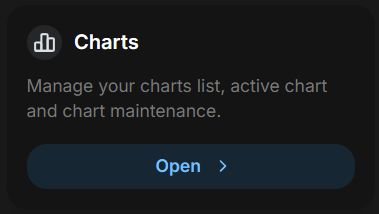
then you click edit on your chart and you should have it up there
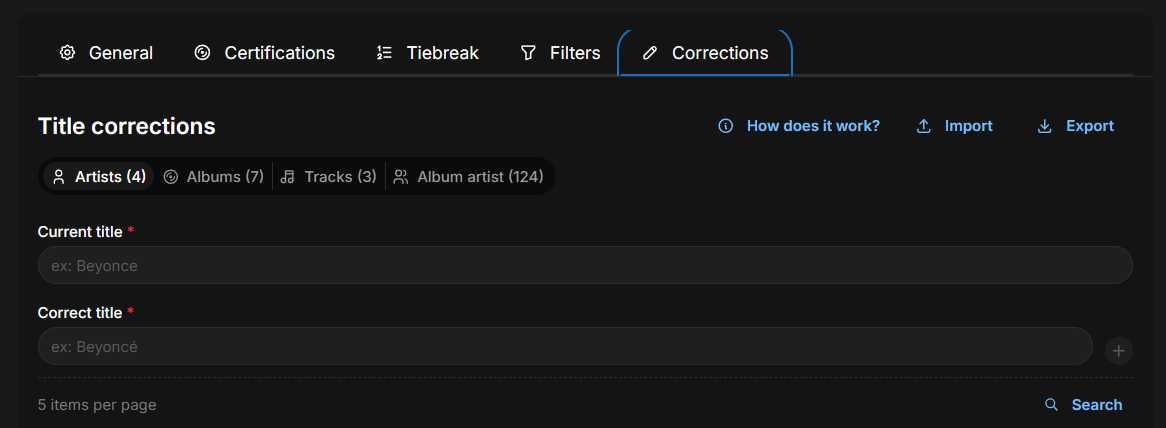
igovc wrote:
go to settings
then you click edit on your chart and you should have it up there
Strangely I don't have any of the options after certifications visible to me - I am using the app on mobile so maybe it's a formatting issue?
I'll check on my phone when I'll have a chance, but maybe someone else will help in the meantime
Craig escreveu:
Strangely I don't have any of the options after certifications visible to me - I am using the app on mobile so maybe it's a formatting issue?
Hey. It's because of the menu, you have to scroll the options to the right
Merlls wrote:
Hey. It's because of the menu, you have to scroll the options to the right
I've tried on both mobile and tablet but neither allow me to scroll across. On mobile it does have an arrow (implying I should be able to scroll) but on tablet there's just no options after the certifications.
I've taken screenshots but it also wont let me add those here for some reason?
Is this a question of Pro Vs regular? I have a pro account but perhaps it's not updated properly?
Craig wrote:
I've tried on both mobile and tablet but neither allow me to scroll across. On mobile it does have an arrow (implying I should be able to scroll) but on tablet there's just no options after the certifications.
I've taken screenshots but it also wont let me add those here for some reason?
Is this a question of Pro Vs regular? I have a pro account but perhaps it's not updated properly?
Are you retrieving your data from your charts via last.fm API? If so I don’t think you can do corrections. It seems to only be available via scrobbles.
lloera wrote:
Are you retrieving your data from your charts via last.fm API? If so I don’t think you can do corrections. It seems to only be available via scrobbles.
Yes this was it! Thanks - I've redone the chart using scrobbles and I now have the other sections available. Thank you!
Craig escreveu:
I've tried on both mobile and tablet but neither allow me to scroll across. On mobile it does have an arrow (implying I should be able to scroll) but on tablet there's just no options after the certifications.
I've taken screenshots but it also wont let me add those here for some reason?
Is this a question of Pro Vs regular? I have a pro account but perhaps it's not updated properly?
lloera escreveu:
Are you retrieving your data from your charts via last.fm API? If so I don’t think you can do corrections. It seems to only be available via scrobbles.
Great to see you guys helping each other