Tiebreak settings not working
I’ve been having trouble getting my tiebreak settings to apply to my weekly charts. For example during the most recent week, here are my tiebreak rules for context:

based on these rules, positions #7-#10 should’ve been:
Car on a Hill
Sexistential
Slushy
Come and Go
However, this is what they are showing up as automatically:

I’ve tried refreshing it but for some reason this is the order it puts them in despite the tiebreak rules.
I checked on a few other weeks and it seemed like the rules weren’t applying on those automatically either. Has this been happening with anyone else? Let me know when you get a chance, thank you!
Hi! We'll be checking on this.
It wasn't fetching tie rules when generating a new week… but the flow worked if it was recalculating all weeks or loading everything from scratch. The issue only happened when there was a new week and it tried to load just that one.
The problem has been fixed, but it will only fix upcoming weeks. The older weeks that were affected need to have their charts recalculated. Press refresh these weeks again and lemme know if it's fixed

Merlls wrote:
It wasn't fetching tie rules when generating a new week… but the flow worked if it was recalculating all weeks or loading everything from scratch. The issue only happened when there was a new week and it tried to load just that one.
The problem has been fixed, but it will only fix upcoming weeks. The older weeks that were affected need to have their charts recalculated. Press refresh these weeks again and lemme know if it's fixed
Refreshing this past week’s chart didn’t seem to do the trick for me (maybe me being on mobile is causing it to not work), so I just manually put those songs in order, which was no trouble at all. If it’s fixed for upcoming weeks then I should be fine! Thank you for checking on it.
I think the problem I noticed with other previous week charts is when the tie break is determining “most weeks charting”, it’s doing so with total weeks charting to date instead of weeks charting up until that point.
For example on this chart in 2019 (Week 139), Cruel Summer got placed ahead of How to disappear despite charting for less weeks at that point:


this was Cruel Summer’s 6th week charting vs. How to disappear’s 8th week, but the tie breaker placed Cruel Summer ahead because it has more weeks charting overall to date. Is this intentional? If so then it’s not an issue lol but I was just wondering.
drewskie2010 escreveu:
Refreshing this past week’s chart didn’t seem to do the trick for me (maybe me being on mobile is causing it to not work), so I just manually put those songs in order, which was no trouble at all. If it’s fixed for upcoming weeks then I should be fine! Thank you for checking on it.
I think the problem I noticed with other previous week charts is when the tie break is determining “most weeks charting”, it’s doing so with total weeks charting to date instead of weeks charting up until that point.
For example on this chart in 2019 (Week 139), Cruel Summer got placed ahead of How to disappear despite charting for less weeks at that point:
this was Cruel Summer’s 6th week charting vs. How to disappear’s 8th week, but the tie breaker placed Cruel Summer ahead because it has more weeks charting overall to date. Is this intentional? If so then it’s not an issue lol but I was just wondering.
It worked here when I re-sent your weeks, so you would prob to delete and send them again.
Oh yes, I see. It's not intentional, we'll be checking.
When we fix this, you would prob need to delete the weeks (not the scrobbles) and send them again, that would take a few minutes again.
Merlls wrote:
It worked here when I re-sent your weeks, so you would prob to delete and send them again.
Oh yes, I see. It's not intentional, we'll be checking.
When we fix this, you would prob need to delete the weeks (not the scrobbles) and send them again, that would take a few minutes again.
Ok I will try doing that. How do I delete and re-send the weeks on mobile?
drewskie2010 escreveu:
Ok I will try doing that. How do I delete and re-send the weeks on mobile?
Let's wait until we fix the issue you mentioned
drewskie2010 escreveu:
Ok I will try doing that. How do I delete and re-send the weeks on mobile?
Go to https://zerocharts.com.br/settings/charts
Click in Clear Weeks saved in your browser
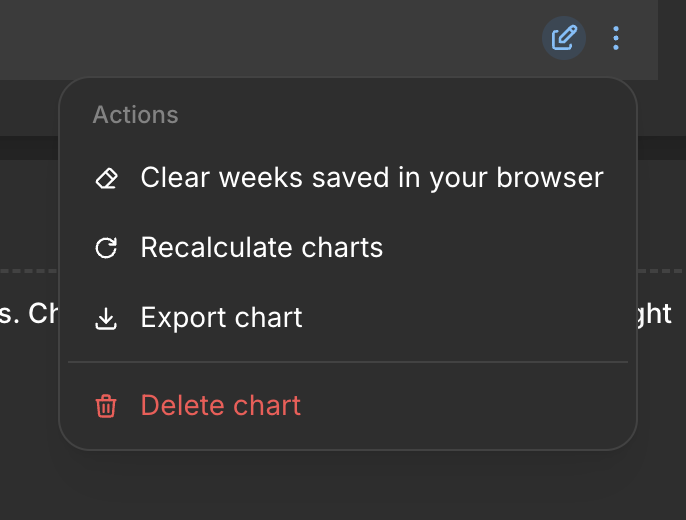
Hey Drew, did you fix it?
Merlls wrote:
Hey Drew, did you fix it?
Hey, sorry about that I meant to respond sooner!
I deleted the weeks and re-calculated the charts, it fixed the issue with the previous weeks’ charts and the “most weeks charting” error.
the order for my most recent chart was also fixed but I wasn’t sure if that was because I manually re-arranged them earlier or not, when I pressed “Atualizar” it reverted the #7-#10 back to the wrong order. But if the future charts arrange correctly then all my issues will be solved!
drewskie2010 wrote:
Hey, sorry about that I meant to respond sooner!
I deleted the weeks and re-calculated the charts, it fixed the issue with the previous weeks’ charts and the “most weeks charting” error.
the order for my most recent chart was also fixed but I wasn’t sure if that was because I manually re-arranged them earlier or not, when I pressed “Atualizar” it reverted the #7-#10 back to the wrong order. But if the future charts arrange correctly then all my issues will be solved!
That's nice to hear! Can you send me a screenshot for button Atualizar? We need to translate it
Merlls wrote:
That's nice to hear! Can you send me a screenshot for button Atualizar? We need to translate it
Here is a screenshot of the “edit chart week” page with the Atualizar button in the corner
